Usage
What every screen does, per device family. Device names are used only to describe compatibility; this is an unofficial app, see the legal notice.
Contents
- Common to all devices
- Desktop: Volcano Hybrid
- Portable: Venty and Veazy
- Portable: Crafty and Crafty+
- Self-diagnosis
- How values are written
Common to all devices
Header. Device name and connection state on the left. On the right: the battery level (portables), the light / dark switch and the disconnect button, which asks before it disconnects.
Temperature gauge. The large number is the current temperature reported by the device. The arc fills from 40 °C to the device's maximum, the white marker sits at the target. Below it a status chip says what is happening:
| Chip | Meaning |
|---|---|
| Heater off | the heater is switched off |
| Heating up | heater on, current temperature below the target; with an estimate of the remaining time once the rate is known |
| Cooling down | heater on, current temperature more than 2° above the target |
| Temperature reached | within ±2° of the target |
The Venty and Veazy do not report their current temperature. For them the gauge shows the target (including boost), and the chip relies on the heater mode and the device's own "temperature reached" signal: Heater off, Heating up or Temperature reached, without a remaining time. The live temperature curve is only shown for the Volcano and the Crafty.
Screen stays on. While the heater is on or a workflow runs, the app holds a screen wake lock so your phone does not lock in the middle of a session. It is released as soon as the heater is off.
Units. Temperatures are shown in the unit the device is set to (°C or °F). Change it under Settings → Temperature unit; the device itself switches too.
Bottom navigation. Control and Settings on every device, plus Workflows on the desktop.
Desktop: Volcano Hybrid
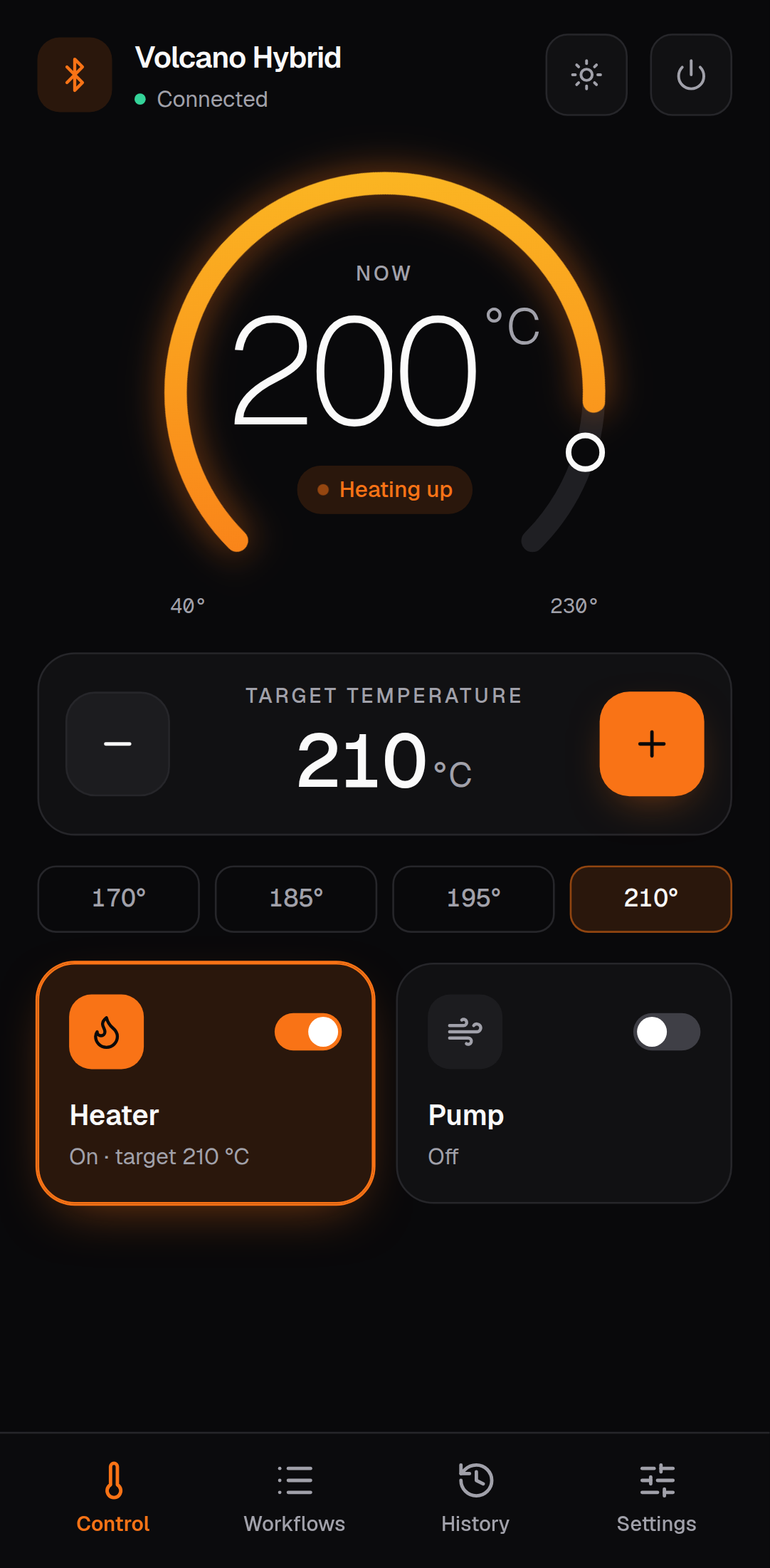
Control
- Target temperature: − / + in 1° steps, held down to repeat, or one of the presets 170°, 185°, 195° and 210°. Range 40–230 °C.
- Heater: switches heating on or off; the card shows the target while it is on.
- Pump: switches the air pump on or off.
Workflows
Automated sessions: heat to a temperature, hold, run the pump, next step. Run, pause, resume and stop them, edit their steps, import and export them as JSON. While a workflow runs, a bar at the bottom of every screen shows the current step and phase. Everything about workflows is on its own page: Workflows.
Settings
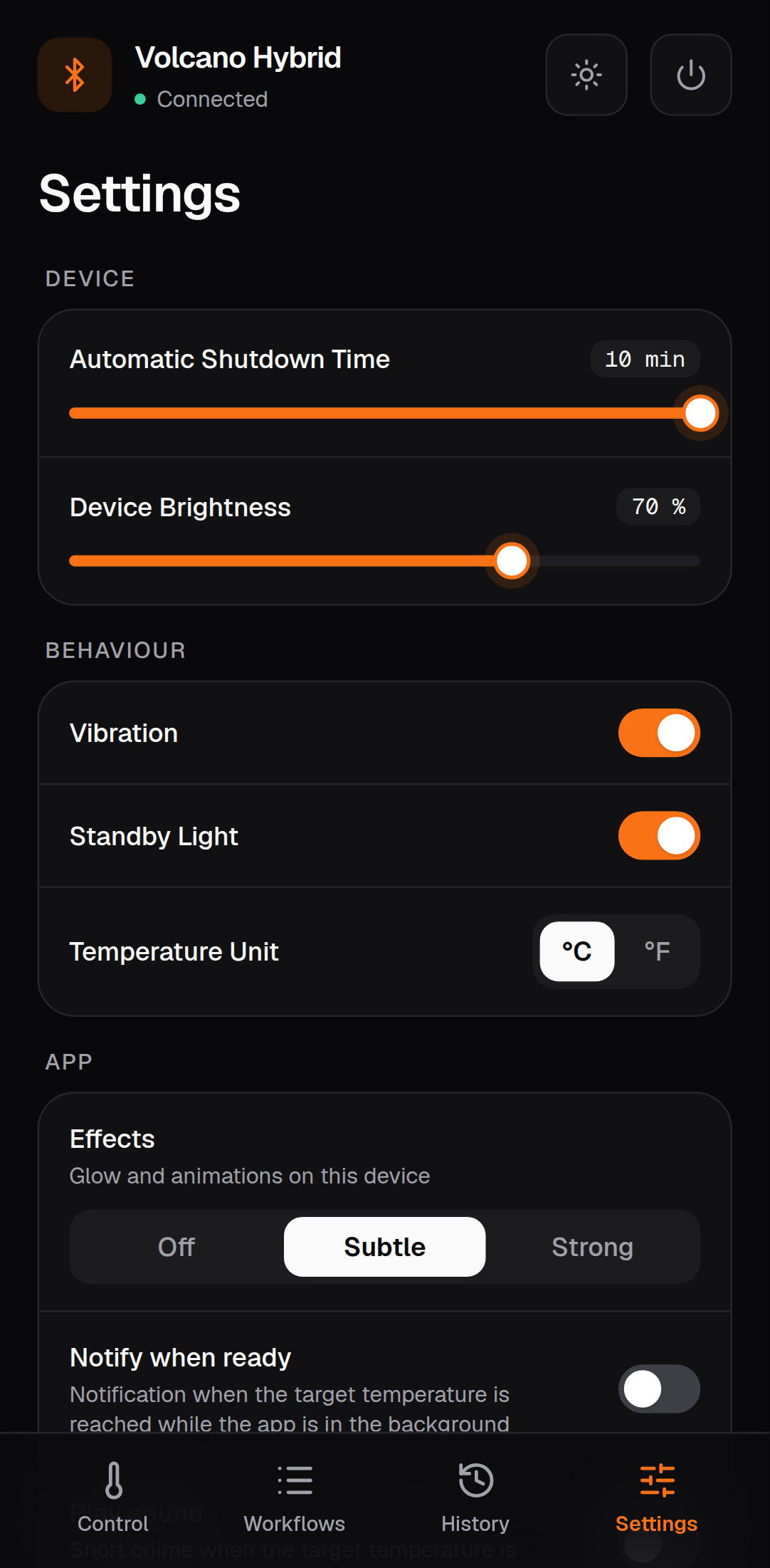
| Setting | What it does |
|---|---|
| Automatic shutdown time | minutes until the device switches itself off after the last use |
| Device brightness | display brightness, 0–100 % |
| Vibration | haptic feedback, e.g. when the target is reached |
| Standby light | show the temperature on the display while cooling down |
| Temperature unit | °C or °F, on the device and in the app |
| Device runtime | total heating time, hours and minutes |
| Serial number, firmware | as reported by the device |
| Start analysis | self-diagnosis |
Portable: Venty and Veazy
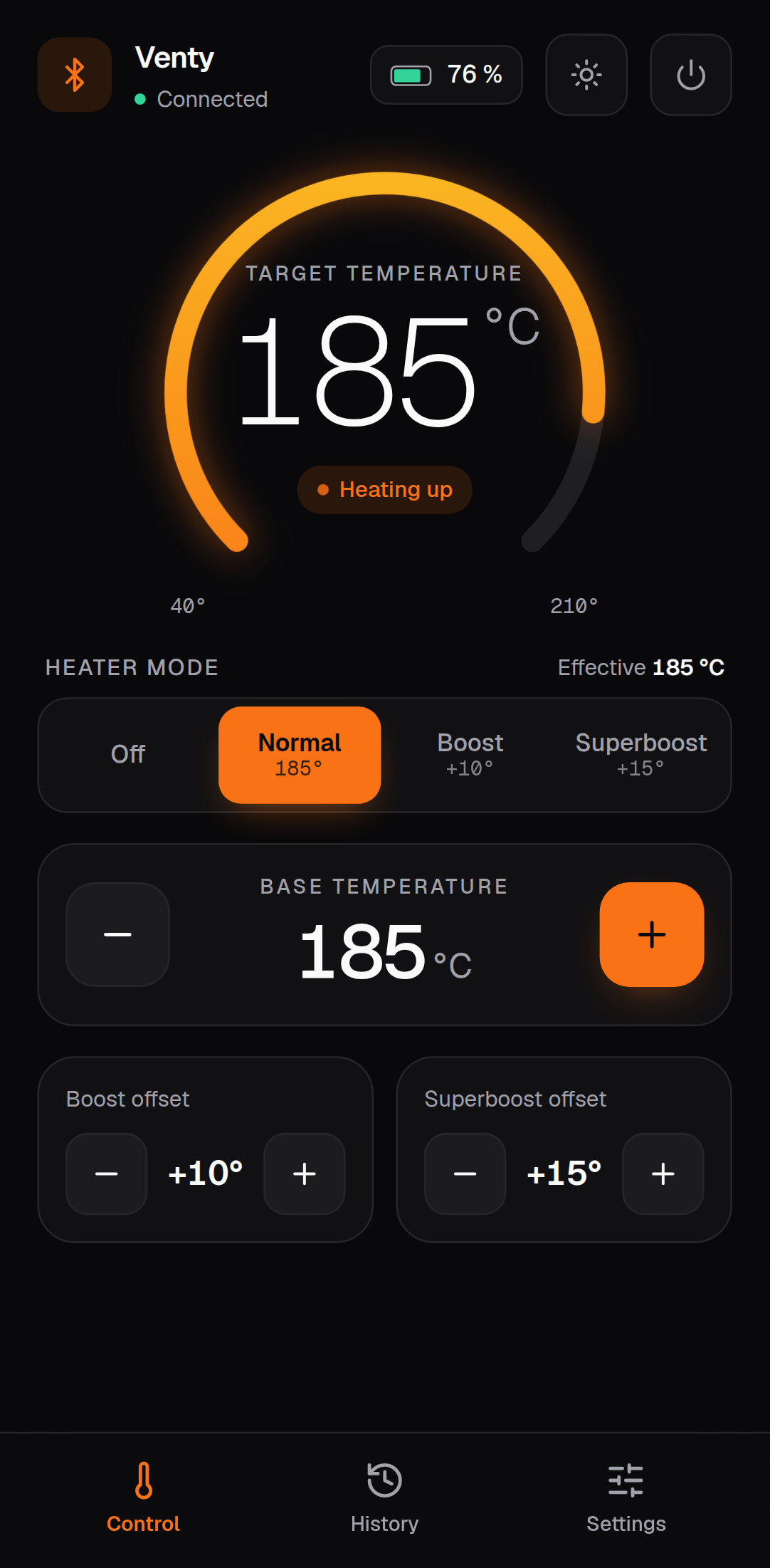
Control
- Heater mode: Off, Normal, Boost or Superboost. Effective shows the temperature the device is heading for in the selected mode: base temperature plus the boost or superboost offset.
- Base temperature: − / + in 1° steps, range 40–210 °C.
- Boost offset / Superboost offset: how many degrees boost and superboost add on top of the base temperature.
When a Veazy is switched off with Find my device active, the control screen shows only a button that makes it beep, and a hint how to switch it on again.
Settings
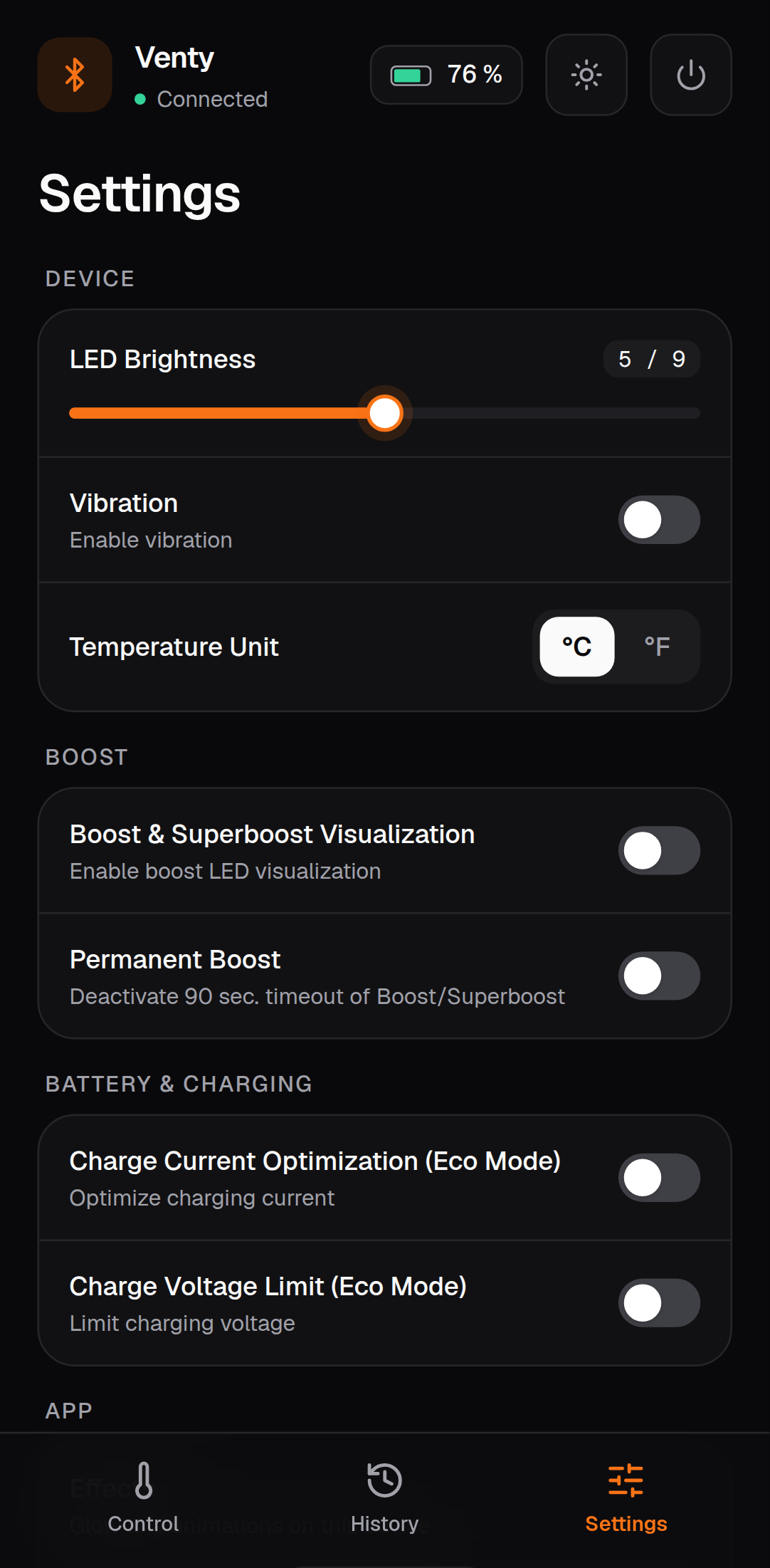
| Setting | What it does |
|---|---|
| LED brightness | 1–9 |
| Vibration | haptic feedback |
| Temperature unit | °C or °F |
| Permanent Bluetooth (Veazy) | keeps Bluetooth on while the device is off. Drains the battery faster |
| Boost & superboost visualization | LED animation while boosting |
| Permanent boost | disables the 90-second timeout of boost and superboost |
| Charge current optimization (eco) | charges more slowly, which is easier on the battery |
| Charge voltage limit (eco) | charges to a lower voltage: longer battery life, less capacity per charge |
| Device info | serial number, runtime, battery charging time, firmware, bootloader |
| Locate device (Veazy) | makes the device beep and blink |
| Start analysis | self-diagnosis |
| Factory reset | resets the device settings, after a confirmation |
Portable: Crafty and Crafty+
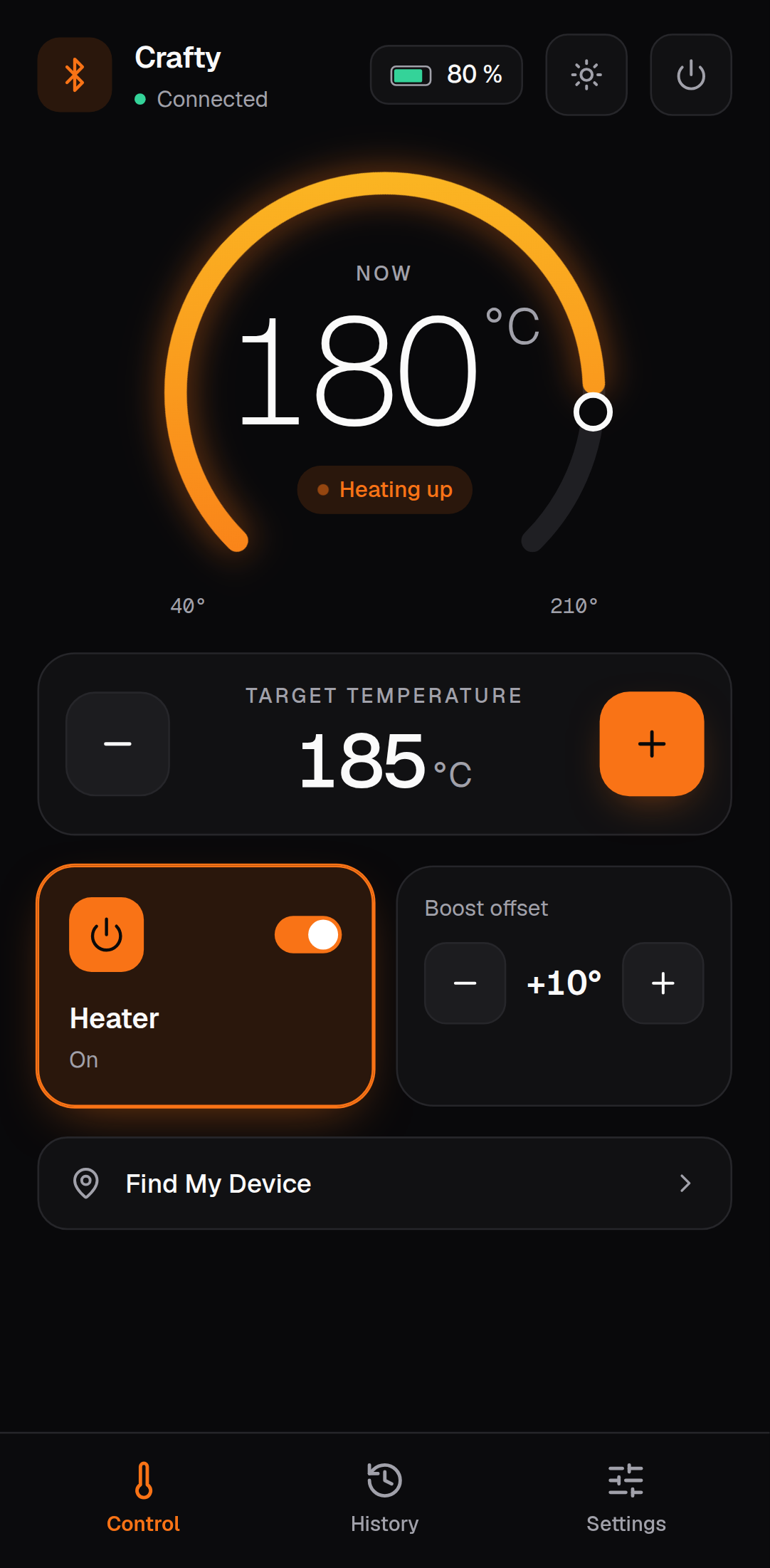
Control
- Target temperature: − / + in 1° steps, range 40–210 °C.
- Heater: on or off.
- Boost offset: degrees added when boost is used on the device.
- Find my device (Crafty+): the device beeps and blinks for 30 seconds.
- Once the target is reached, a countdown shows when the device will switch itself off.
Settings
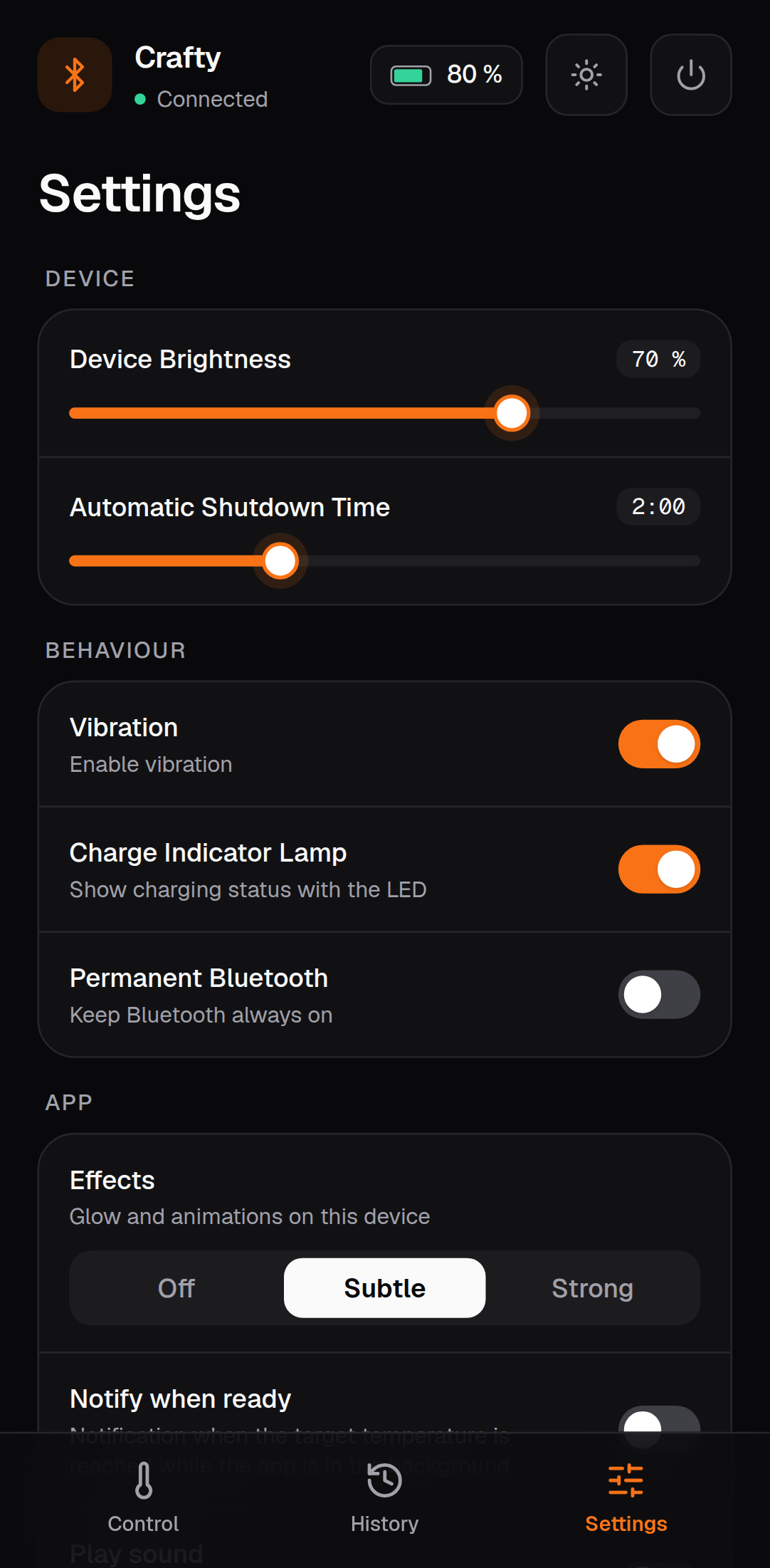
| Setting | What it does |
|---|---|
| Device brightness | LED brightness |
| Automatic shutdown time | time until the device switches itself off |
| Vibration | haptic feedback |
| Permanent Bluetooth | keeps Bluetooth on. Drains the battery faster |
| Charge indicator lamp | show the charging state with the LED |
| Device info | battery, runtime, serial number, firmware, Bluetooth firmware |
| Start analysis | self-diagnosis |
| Factory reset | after a confirmation |
Older firmware. A Crafty with firmware older than 2.51 lacks most of the Bluetooth values. The app detects it, shows a notice and offers what the device supports: target and current temperature, boost, brightness and battery. The heater switch is not available on these units.
Self-diagnosis
Settings → Start analysis reads the device's status registers and turns them into plain advice, for example Please let the device cool down, Please charge the device or Vibration is disabled. Settings that are fine but unusual (eco charging, permanent Bluetooth, low brightness) are listed as hints.
If the device reports an actual error, the app shows an error report: a short block with the serial number and the raw register values, meant for the manufacturer's support. The app never sends it anywhere itself; pass it on yourself if you contact support. The analysis is an aid, not a repair tool and not an official diagnosis.
How values are written
- Buttons and sliders that change a number (temperature, offsets, brightness, shutdown time) update the screen at once and write to the device 300 ms after your last change (500 ms on Venty / Veazy). Ten taps on + become one Bluetooth write. For 1 s after the write (1.5 s on Venty / Veazy), values coming back from the device do not overwrite what you see, so the number does not jump back while the device catches up.
- Switches (heater, pump, vibration …) are written immediately and confirmed by the device's next notification.
- All Bluetooth operations run one after another through a single queue. Nothing is lost when you tap quickly; it just runs in order.
Details: Architecture.
Next: Workflows · Troubleshooting · Documentation index