Keybund documentation
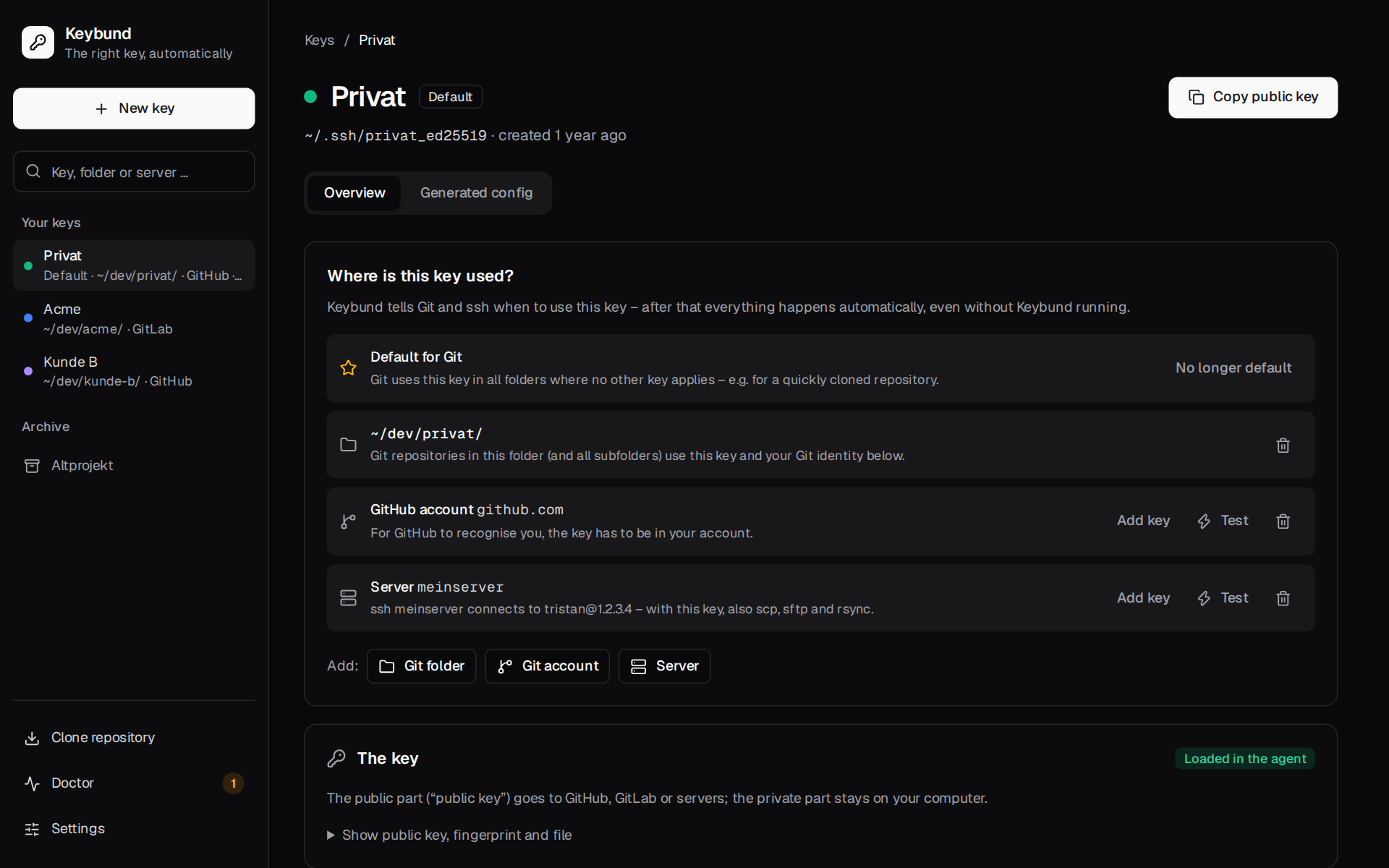
Keybund is an SSH key manager for Linux and macOS. You keep one SSH key per purpose – your private GitHub
account, each client, your NAS – and tell Keybund where each key belongs: Git folders, GitHub,
GitLab or Bitbucket accounts, servers. Keybund turns that into plain OpenSSH and Git configuration,
so git, ssh, scp, rsync, your IDE and Dolphin pick the right key on their own – without
Keybund running.
Also as a website with search: https://firsttris.github.io/keybund/
| Installation | AppImage, .deb, the CLI binary, building from source, uninstalling |
| First steps | your first key, adding it to GitHub, a Git folder, a server, testing, taking over an existing ~/.ssh/config |
| Common setups | two GitHub accounts on one computer, client work with its own e-mail, servers and NAS, commit signing, cloning |
| The app | every page of the desktop app: overview, key page, new key, “which key?”, doctor, clone, import, settings |
| Command line | every keybund command and option, exit codes, scripting |
| Configuration | profiles.toml field by field, settings, validation rules |
| Troubleshooting | every doctor check, typical errors and what to do about them |
| FAQ | short answers to the common questions |
| What Keybund writes | each generated file with an example, how the includes work, backups |
| Security and host keys | private keys, passphrases, host key confirmation, known_hosts per key, file permissions |
| Architecture | the data flow from profiles.toml to the files, the app's layers, design decisions |
| Modules | every module of the core, the CLI, the Tauri backend and the frontend |
| Development | toolbox setup, just recipes, bindings, mock backend, screenshots, releases |
| Testing | the test layers, from snapshot tests to a real sshd and Playwright |
| Review 2026-10 | what the code review found, what is fixed, what is still open – with the handover prompt |
How Keybund works, in one minute
- One key per purpose. A key in Keybund is an SSH key pair plus where it is used. Keys are
created with
ssh-keygen(Ed25519) or taken over from~/.ssh; Keybund never reads a private key. - Rules instead of trial and error. For each key Keybund writes small rules that ssh and Git
read themselves:
- a Git folder becomes an
includeIf "gitdir:~/dev/client-a/"with the key'score.sshCommandand, if you want, its own name and e-mail for commits; - a server becomes a
Hostblock withIdentityFileandIdentitiesOnly yes, matching its alias and its hostname or IP; - a Git account (GitHub, GitLab, Bitbucket) is reached through the folder or an alias such
as
git@github-client:…; - an optional default key is used by Git everywhere else.
- a Git folder becomes an
- Your files stay yours. Keybund writes its own files under
~/.ssh/config.d/and~/.config/keybund/and adds exactly oneIncludeline to~/.ssh/configand one to~/.gitconfig, with a backup first.keybund uninstalltakes it all back. - Nothing runs in the background. No agent, no daemon, no own protocol: once the files are written, Keybund can be closed or even removed and everything keeps working.
- Checked, not guessed. “Which key?” asks
git configandssh -Gwhat they really use, the connection test readsssh -vto see which key the server accepted, and the doctor checks permissions, include positions, the agent and environment variables that would switch Keybund off.
flowchart LR
P["~/.config/keybund/profiles.toml<br/>your keys and where they apply"] --> R["render<br/>(pure functions)"]
R --> S["~/.ssh/config.d/keybund.conf"]
R --> I["~/.config/keybund/git/index.gitconfig"]
R --> G["~/.config/keybund/git/<key>.gitconfig"]
R --> A["~/.config/keybund/allowed_signers"]
S -. "Include (first line)" .- SC["~/.ssh/config"]
I -. "[include] (last entry)" .- GC["~/.gitconfig"]
I -- "includeIf gitdir:" --> GWho it is for
- Developers with more than one GitHub, GitLab or Bitbucket account on the same computer
(private and work, or one per client) who are tired of
Permission denied (publickey)and commits with the wrong e-mail. - Freelancers and agencies that keep a separate key and identity per client and want to remove everything of a client cleanly when the project ends.
- Anyone with a handful of servers, a NAS or a Raspberry Pi who wants
ssh nasto just work – in the terminal and in Dolphin (sftp://nas).
Keybund runs on Linux (KDE, GNOME and others, X11 and Wayland) and on macOS 11 or newer. The app speaks English and German (it follows the system language); the CLI's messages are German for now. Windows is not supported yet.