Automation
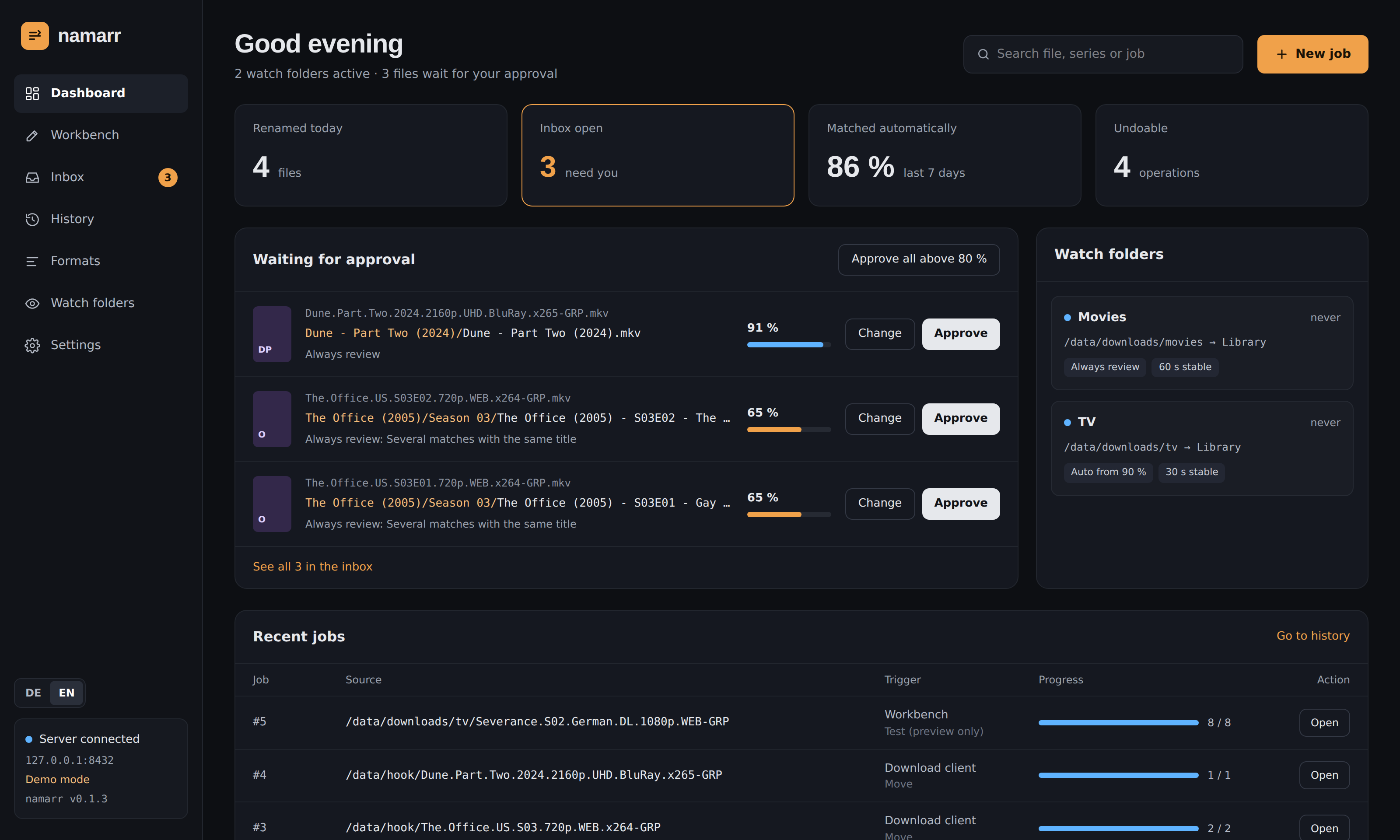
Watch folders
A watch folder renames new downloads on its own:
- It waits until size and mtime of a file have been stable for a while (per folder, default
30 s) and ignores
.part,.!qB,.tmpand similar files of running downloads. - It bundles a release folder into one job, so a season pack is one job, not ten.
- Only matches above the auto threshold (default 90 %) run. Everything else waits in the inbox. Always review runs nothing without your approval.
- Matched files go to the libraries: the watch folder's own choice per kind, else the default library for movies and series (see Folders and libraries).
- Each watch folder has its own options: the format for movies and for series (else the default format), the series source, the action and the conflict policy.
- The action is move unless the folder says copy. Copy leaves the download where it is, for a torrent client that still seeds it.
- After a move, the release folder goes too once it is empty (or holds only leftovers such as
.sfv,.nzborThumbs.db); the watch folder itself always stays. - At startup it catches up on what arrived while namarr was down: video files that no job knows yet and that appeared after the watch folder was created. An old backlog is left alone; that is what the workbench is for.
Inbox
Uncertain matches from watch folders and the hook wait here with the reason (two candidates with a similar score, a double episode, a season guessed from an absolute number …). Approve them one by one, change the match, or approve everything above 80 % at once.
Download client hook
Instead of a watch folder, or next to one, a download client can call namarr after every finished download. The job runs like a watch job: sure matches are renamed right away, uncertain ones wait in the inbox.
curl -X POST http://namarr:8420/api/jobs \
  -H "Authorization: Bearer $NAMARR_TOKEN" \
  -d path="/data/downloads/tv/Severance.S02.German.DL.1080p.WEB-GRP" -d watchFolder=Series
| Field | Meaning |
|---|---|
path |
file or folder, as the client sees it (NAMARR_PATH_MAP translates it) |
watchFolder |
ID or name of a watch folder: its formats, series source, action, targets and auto threshold |
target |
one folder for every file; otherwise movies and series go to the libraries of the watch folder or the defaults |
review |
true: nothing runs without approval, everything goes to the inbox |
threshold |
auto threshold 0–1, default 0.9 |
Fields may be sent as JSON, as a form or as query parameters. Without watchFolder the job uses the
default formats and moves the files. The answer is
202 {"jobId", "status", "url"}; GET /api/jobs/<id> reports the progress. Errors come as
{"error"} with 400 (invalid, or no target at all), 401 (token), 403 (outside the folders) or 404 (path or watch folder
unknown).
Note: Profiles are gone. A call that still sends
profilegets a 400 that says to sendwatchFolderinstead; the watch folders that used a profile took over its settings.
- qBittorrent → Options → Downloads → Run external program on torrent finished:
curl -s -X POST http://namarr:8420/api/jobs -H "Authorization: Bearer TOKEN" --data-urlencode "path=%F" -d watchFolder=Series(%Fis the content path: the folder for several files, otherwise the file.) - SABnzbd / NZBGet: a post-processing script with the same line,
pathfrom$SAB_COMPLETE_DIRor$NZBPP_DIRECTORY. - When the client and namarr run in different containers with different mounts, for example
/downloadsagainst/data/downloads, setNAMARR_PATH_MAP=/downloads:/data/downloads.
After a job
- Library refresh for Jellyfin, Emby and Plex, so new episodes show up right away. Test connection next to each server checks address, token and server type without refreshing, and shows the server's name and version.
- Notifications via ntfy, Gotify, Telegram, Discord or a webhook, in the language set for titles.
Both are set up under Settings.