Fernsicht documentation
Fernsicht is a self-hosted remote desktop and game streaming tool for Linux, written in Rust. It aims for the latency of Sunshine/Moonlight or Parsec with the comfort of TeamViewer: the app finds the other computer in the network, you pair once with a PIN, and a click starts the session. Also as a website with search: https://firsttris.github.io/fernsicht/
| Status | what is built, phase by phase, and what has been seen working live |
| Installation | the AppImage, sharing a computer, the host as a service, building from source, uninstalling |
| Remote access | over the internet today: Tailscale, Cloudflare WARP, port forwarding |
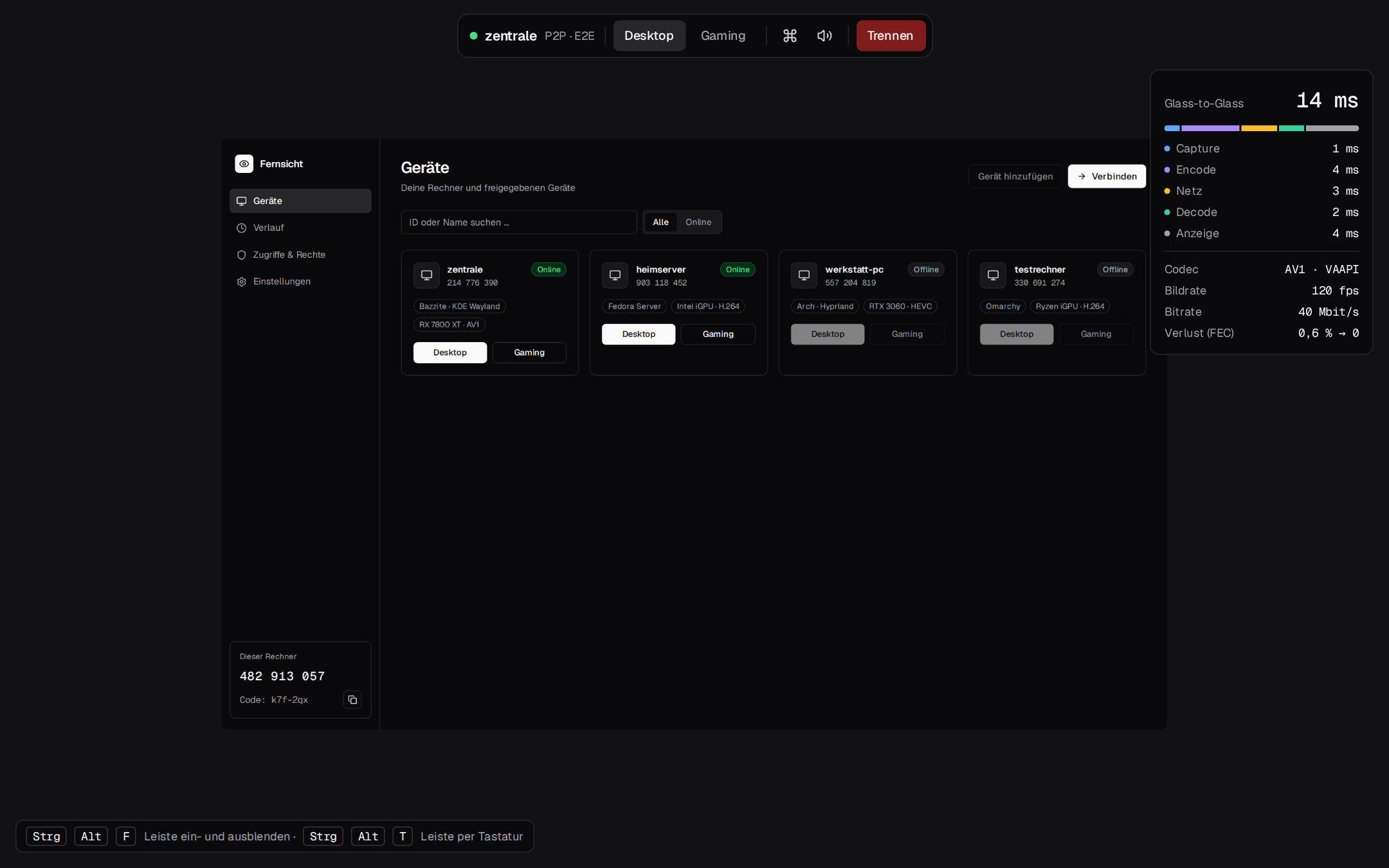
| The app | devices, pairing, sessions, the video window and its keys, gaming mode, monitors, settings |
| Web viewer | any browser in the LAN, phones and tablets with gestures and the on-screen keyboard |
| Command line | every option of fernsicht-host-agent and fernsicht-client |
| KMS capture | how the host reads the screen, running it by hand, troubleshooting, limits |
| Architecture | the pipeline from screen to screen, threads, latency measurement |
| Modules | every crate, app and web package, and how they fit together |
| Video path | capture, conversion, encoders, codecs and their negotiation, decoders, the renderer |
| Protocol | the UDP packets, FEC, pacing, clock sync, reliable input, sound |
| Security | pairing with SPAKE2, Noise IK sessions, sealed packets, the web viewer's access |
| Performance | measurements, what is already state of the art, what can still get faster |
| Next steps | the logical next things to build, with their value and effort |
| Code review | the review of the whole code base: bugs, security, performance, clean-up, each with its status |
| Latency baseline | how the comparison with Sunshine/Moonlight is measured |
| Development | dev container, building with features, checks, releases |
| Testing | the test layers, from unit tests to fuzzing and real GPUs |
| GPU runners | setting up a machine as a self-hosted runner for the GPU tests |
| Handover notes | where the work stands and how to pick it up |
How Fernsicht works, in one minute
- Two programs.
fernsicht-host-agentruns on the computer you control, usually as the system servicefernsicht-host-agent.fernsicht-clientshows its screen in a Vulkan window. The app (Tauri) is the friendly face of the client: devices, pairing, settings, sessions. - The picture stays on the GPU. The host reads the framebuffer the monitor shows (KMS) at each vblank and hands it to the hardware encoder as a DMA-BUF: VAAPI on AMD and Intel, NVENC on NVIDIA via Vulkan and CUDA. The client decodes in hardware and draws the decoded picture straight into its window.
- Its own protocol over UDP. Frames are split into packets with Reed-Solomon FEC sized from the measured loss and paced so switches and Wi-Fi do not overflow. Input is retransmitted until acknowledged, sound is Opus with 5 ms frames. A browser gets the same stream over WebRTC.
- Encrypted, paired devices only. Devices pair once with a 6-digit PIN (SPAKE2). Every session starts with a Noise IK handshake; then every packet is sealed with ChaCha20-Poly1305.
- Measured all the way. Every packet carries the host's timestamps; the client syncs clocks and shows the latency of each stage – capture, encode, network, decode, display – in the overlay.