Funkloch
A self-hosted dashboard that records the signal quality of every Zigbee2MQTT, Thread (OpenThread Border Router) and Matter (matterjs-server, Thread and Wi-Fi) device over time. It shows which devices get worse over days, which drop out and how they are connected, instead of one snapshot. One container next to Zigbee2MQTT, your border router or your Matter server, read-only, no cloud.
What it shows
| Page | What is on it |
|---|---|
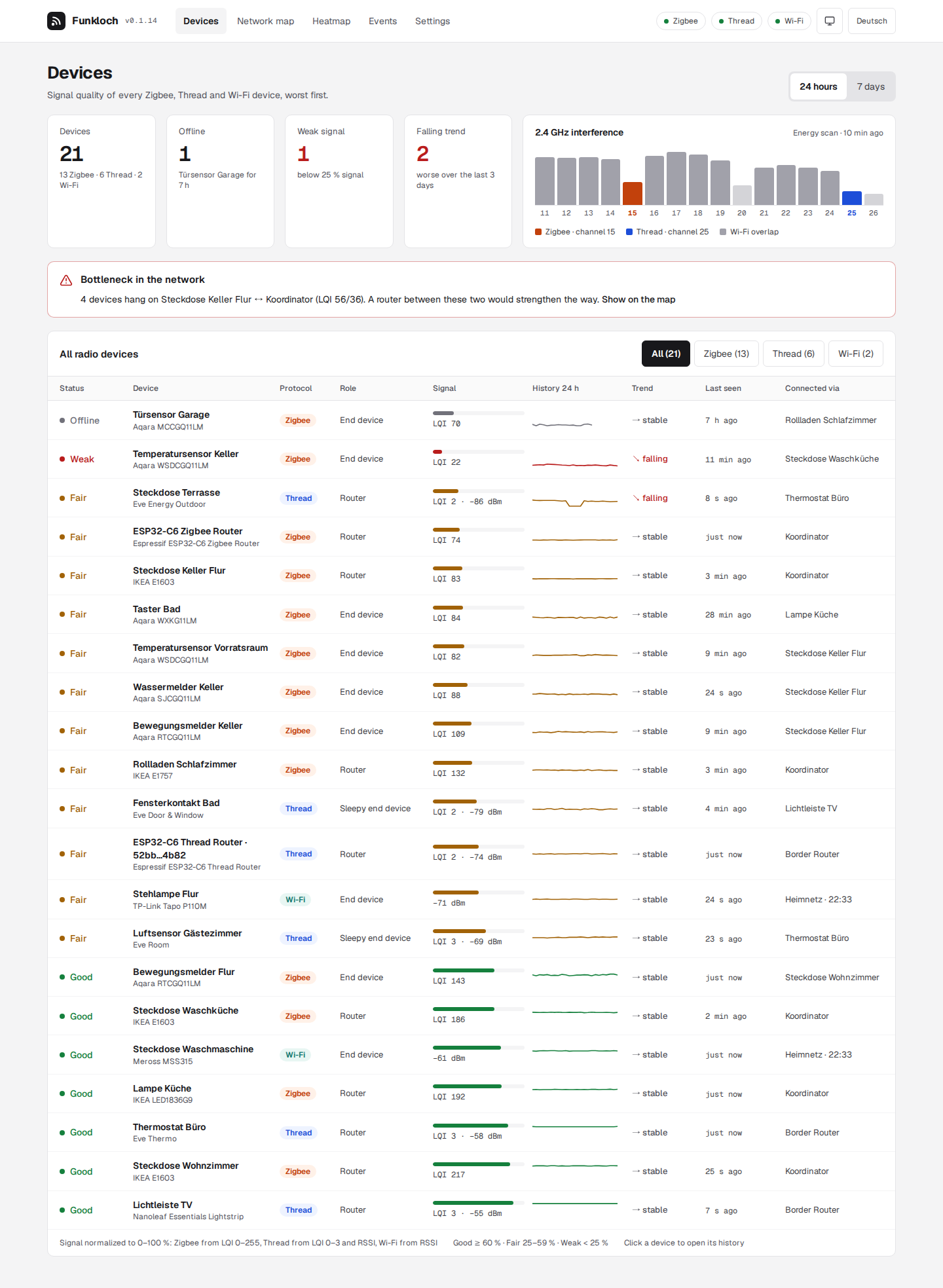
| Devices | traffic light, signal, 24 h or 7 day sparkline, 72 h trend, last seen and parent of every device, worst first; key figures and the 2.4 GHz energy scan |
| Device | raw value chart (LQI for Zigbee, RSSI for Thread and Wi-Fi) for 24 hours, 7 or 30 days, messages per hour, parent changes, connections and events |
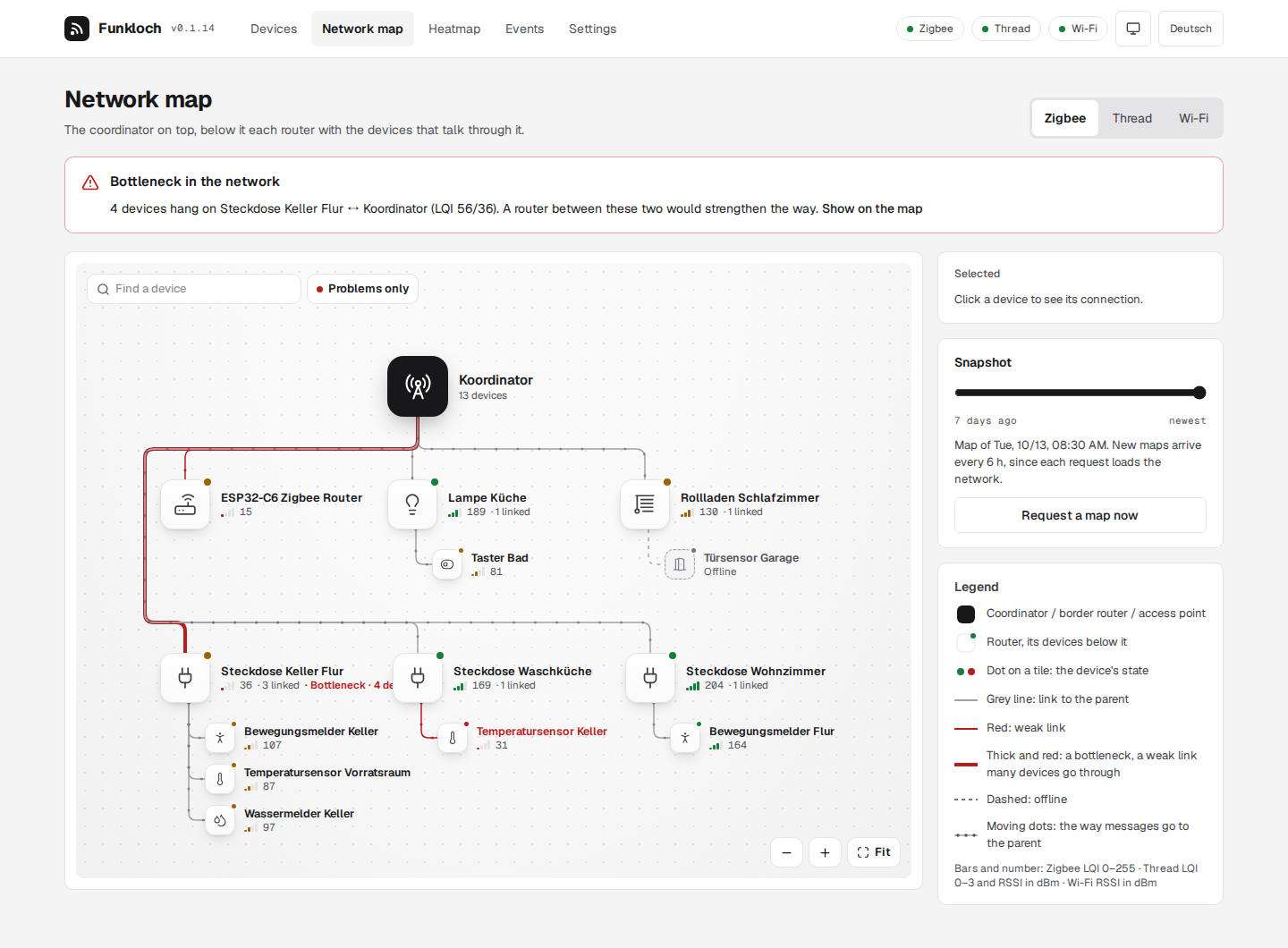
| Network map | the mesh from the latest Zigbee network map, Thread diagnostics or Matter neighbor tables as a tree: routers below the coordinator or border router, Wi-Fi devices below their access point, their devices listed under them; search, problems only, a device's way to the root lit up, older snapshots |
| Heatmap | every device by hour over 7 or 30 days, recurring weak hours and slow declines |
| Events | offline and back, weak signal, falling trend, parent and role changes, new and removed devices, noisy channel; CSV export and notification rules |
| Settings | thresholds, intervals, retention, names for devices, password |
Next steps
- Install Funkloch with Podman Quadlet or Docker Compose.
- What it reads from Zigbee2MQTT, the Thread border router and matterjs-server.
- How the score, trend and reachability are worked out.
- Notifications by ntfy, webhook or MQTT.
Try it without a network of your own:
docker run --rm -p 8090:8090 -e FUNKLOCH_DEMO=1 tristanteu/funkloch